Monitor agents, prevent cost overruns, and manage your entire OpenClaw
pipeline from one beautiful desktop app. No terminal required.
Mission Control by OrqPilot is a desktop application for monitoring and managing OpenClaw AI agents. It provides real-time status tracking, automatic cost throttling that switches to budget models when spending limits are exceeded, pipeline job tracking with per-step cost breakdown, and one-click mode switching. Windows is available now, with macOS coming shortly after launch.
Average savings on AI API costs with auto-throttle enabled
280ms
Average agent response time monitored in real time
Win
Windows is available now. macOS is coming shortly after launch.
24/7
Continuous agent monitoring and cost tracking uptime
THE PROBLEM
Stop bleeding money on AI API calls
Without visibility, AI agents silently rack up API costs. One bad loop,
one expensive model left running overnight — and you wake up to a $50 bill
you didn't expect.
Mission Control's auto-throttle watches your spend in real time.
When you hit your daily limit, it automatically switches to budget models.
You set the rules. The app enforces them.
Before Mission Control
Monday-$14.20
Tuesday-$11.85
Wednesday-$18.40
Thursday-$9.65
Friday-$13.10
Weekly total-$67.20
After Mission Control
Same workload-$18.50
You saved$48.70/week
FEATURES
Everything you need to run AI agents
Built by an OpenClaw user who got tired of SSH-ing into Railway to check if things were working.
Live Agent Monitoring
Real-time status, heartbeat, latency, and active sessions. Know instantly when something goes wrong.
Auto-Throttle
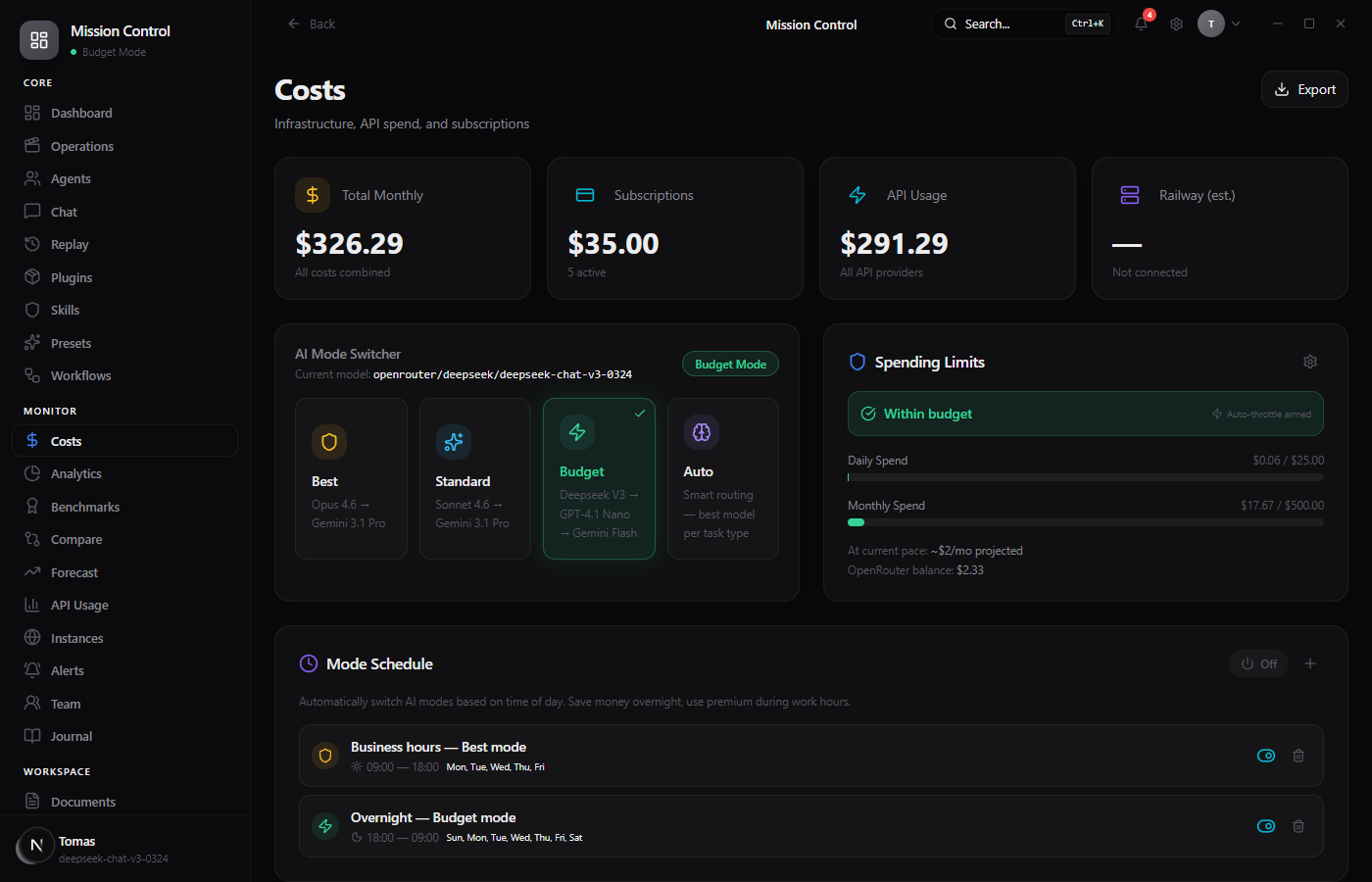
Set daily and monthly spend limits. When exceeded, automatically switch to budget models. Never overspend again.
Pipeline Tracking
See every job's progress step-by-step: Scout, Editor, Narrator, Assembly. With per-step cost breakdown.
One-Click Mode Switch
Switch between Performance, Standard, and Budget modes instantly. No SSH, no config files, no terminal.
Cost Analytics
Track spending by model, by day, by pipeline step. Import OpenRouter CSVs. See exactly where your money goes.
Multi-Channel View
See all your agent's channels at once — Discord, DMs, automated pipelines. Everything in one place.
Multi-Provider Cost Compare
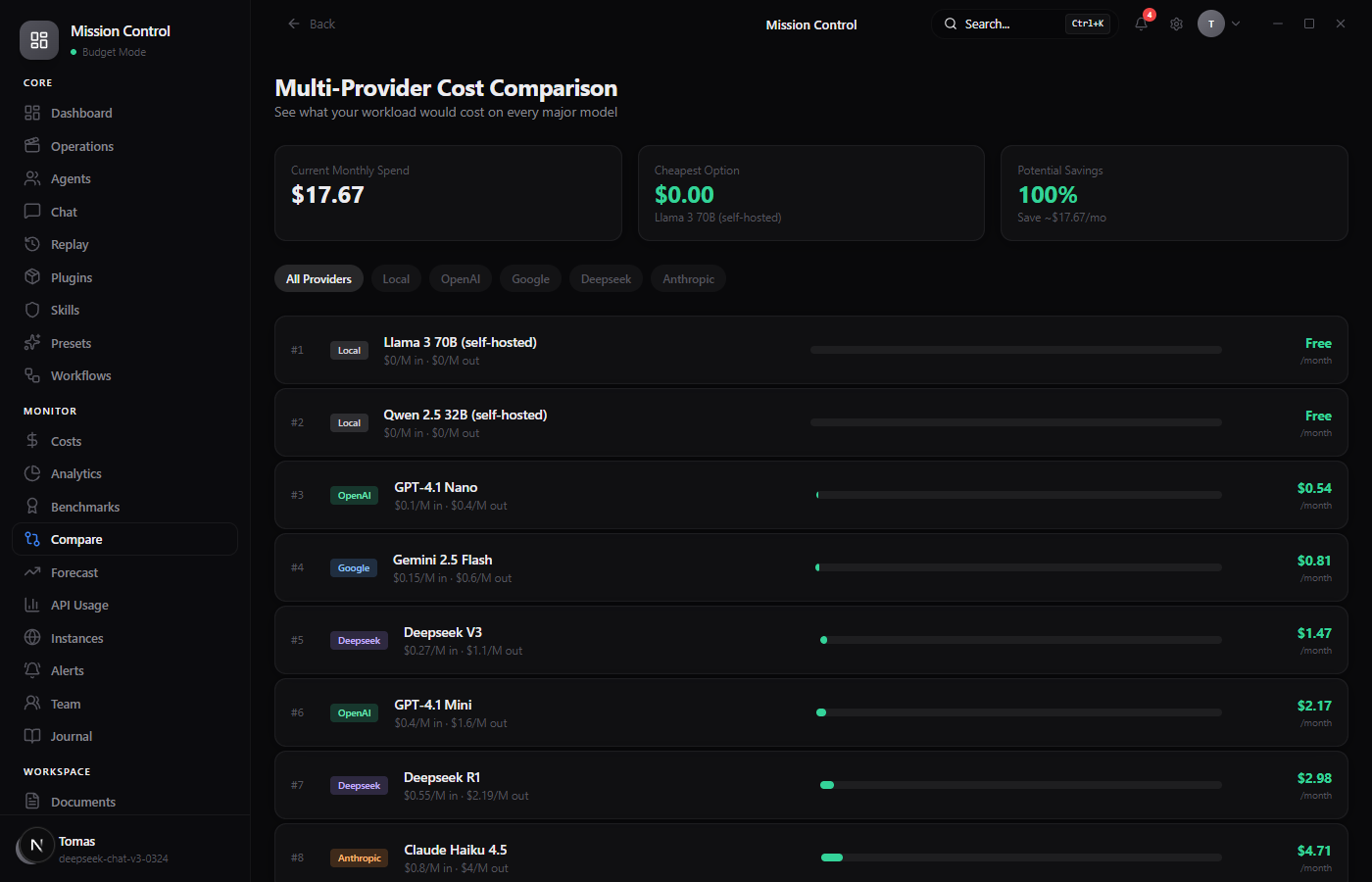
See what your workload would cost on every major model — Anthropic, OpenAI, Google, DeepSeek, local. Find savings instantly.
AI Usage Forecasting
See projected end-of-month spend, days until budget exceeded, and smart recommendations to optimize costs.
Prompt Library
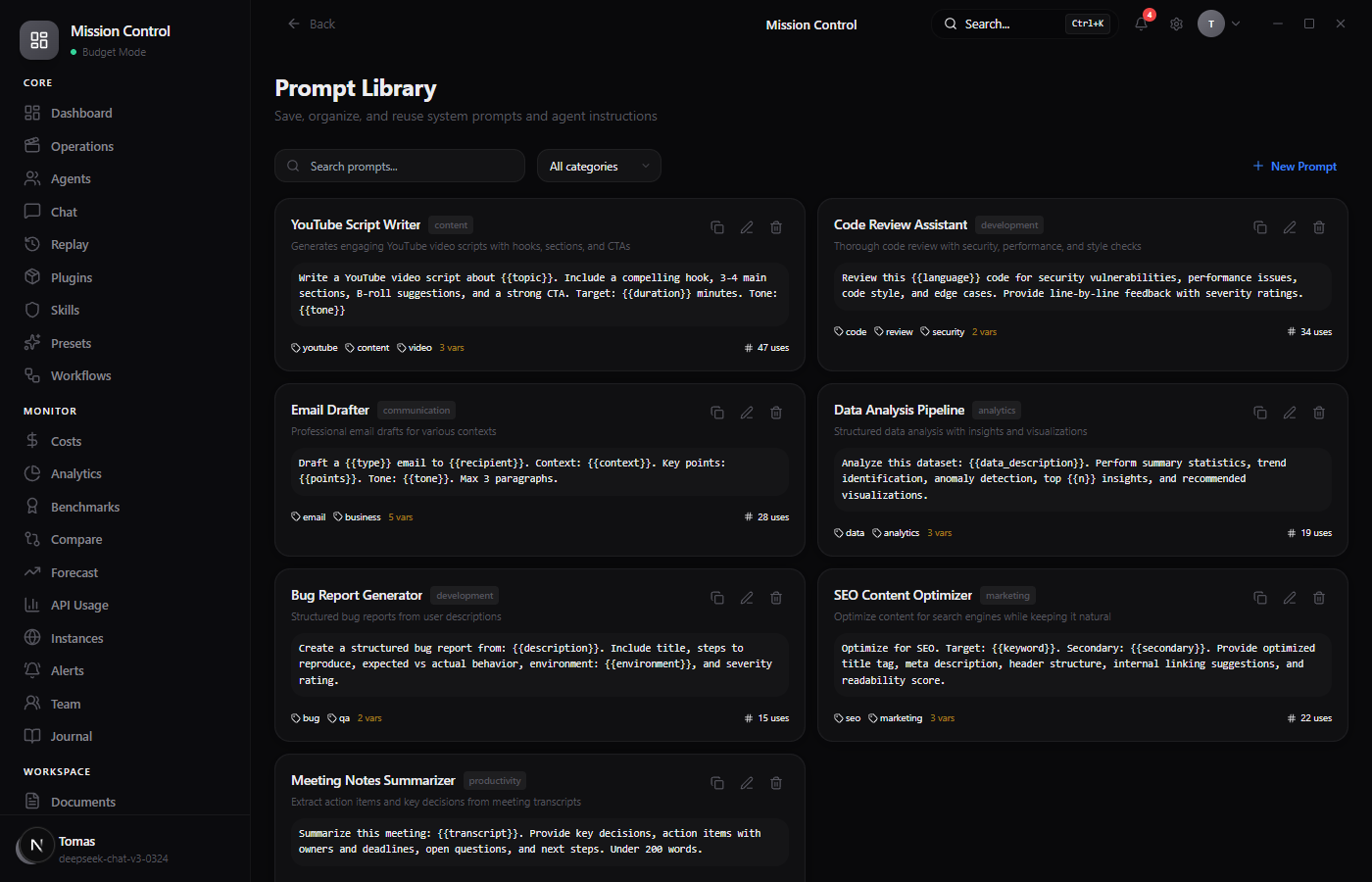
Save, organize, and reuse system prompts with template variables, categories, tags, and usage tracking.
Smart Alerts + Webhooks
Custom alert rules for spend, budget, and agent status. Push to Slack, Discord, or any webhook. Auto-throttle on triggers.
API Key Vault
Securely store and manage API keys for multiple providers. Encrypted at rest, never sent to external servers.
Workflow Builder
Build multi-step agent pipelines with triggers, conditions, and actions. Automate content creation, research, and more.
IN ACTION
See it in action
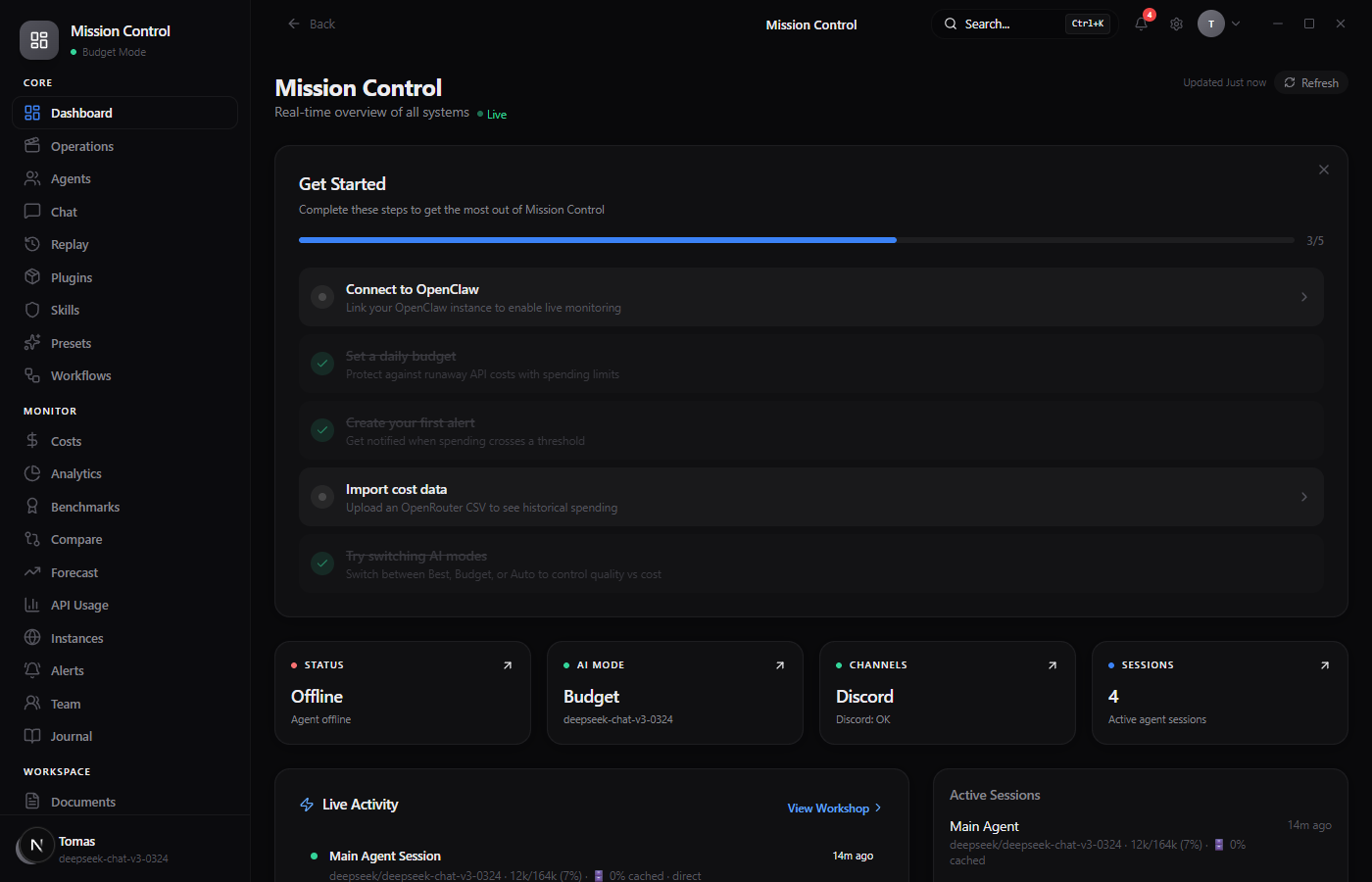
Every screen is packed with real data. No placeholder mockups — this is what Mission Control actually looks like.
Dashboard
Real-time overview with status cards, live activity feed, and active sessions.
Usage Forecast
Budget gauge, projected end-of-month spend, and smart cost-saving recommendations.
Cost Comparison
Compare costs across 12 models from 5 providers. See exactly how much you could save.
Prompt Library
Save and organize system prompts with variables, categories, tags, and usage stats.
HOW IT WORKS
Up and running in 3 minutes
1
Download
Grab the Windows installer now. macOS is coming shortly after launch.
2
Connect
Enter your OpenClaw URL and setup password. The wizard tests the connection for you.
3
Set Budget
Set your daily and monthly spend limits. Auto-throttle kicks in when you get close.
4
Monitor
Watch your agents work in real time. Get alerts, track costs, and switch modes with one click.
WHY MISSION CONTROL
Built different
Unlike cloud-based observability tools, Mission Control is a local desktop app. Your data never leaves your machine.
Cloud dashboards
Tools like Langfuse and Helicone are great for observability, but they're cloud-hosted, require integration code, and charge based on usage volume. They also don't manage your agent — they only watch it.
Raw OpenRouter dashboard
OpenRouter shows your credits and usage, but it can't switch your agent's model, set budget alerts, track pipeline jobs, or auto-throttle when costs spike. It's a billing page, not a control panel.
Mission Control by OrqPilot
A local desktop app that both monitors and controls your OpenClaw agent. Set spend limits, auto-throttle to budget models, track pipeline jobs, switch modes — all without SSH or sending data to a third party.
TESTIMONIALS
Loved by OpenClaw operators
"I was spending $14/day without realizing it. Mission Control's auto-throttle cut that to under $4. Paid for itself in three days."
T
Tomas L.
OpenClaw operator
"Finally I can see what my agent is doing without SSH-ing into Railway every 5 minutes. The pipeline tracker alone is worth it."
M
Marcus R.
AI developer
"The mode switcher is a game changer. Budget mode for routine tasks, performance mode when quality matters. One click."
S
Sarah K.
Content agency owner
PRICING
Simple, honest pricing
Pay once, use forever. Every launch plan includes 1 year of updates.
Download the installer, then activate Mission Control with a license key after checkout.
FAQ
Frequently asked questions
What is Mission Control?
Mission Control is a desktop app that gives you a visual dashboard for your OpenClaw AI agent. Instead of SSH-ing into your server or checking logs manually, you get real-time monitoring, cost controls, and one-click management — all from a beautiful native app.
Do I need to install Node.js or use the terminal?
No. Mission Control is a standalone desktop app. Download the installer, double-click, and you're running. No terminal, no Node.js, no developer setup required.
How does auto-throttle save me money?
You set a daily spend limit (e.g., $5/day). When your OpenRouter spend approaches that limit, Mission Control automatically switches your agent to cheaper models like DeepSeek V3 ($0.20/MTok vs Sonnet's $3/MTok). Same work gets done, fraction of the cost.
What platforms are supported?
Windows 10+ is available now. macOS 12+ for Intel and Apple Silicon is coming soon.
Can I connect multiple OpenClaw instances?
The Personal plan supports 1 instance. Pro and Team plans support unlimited instances — great if you're running agents for multiple clients or projects.
What happens after my update year expires?
The app keeps working forever — you own it. You just stop receiving new feature updates. You can renew for $19/year anytime to get back on the latest version.
Is my OpenClaw data secure?
Mission Control runs entirely on your local machine. Your credentials are stored locally (never sent to us), and all communication goes directly between your computer and your OpenClaw server. We have zero access to your data.
How does Mission Control compare to Langfuse or Helicone?
Unlike cloud-based observability tools like Langfuse and Helicone, Mission Control is a local desktop app — no data leaves your machine. It also goes beyond monitoring: it can actively control your OpenClaw agent by switching AI models, setting budget limits, and auto-throttling costs. Cloud tools typically require code integration and charge based on usage volume.
Does Mission Control work with OpenRouter?
Yes. Mission Control integrates with OpenRouter to track your API credits and spending in real time. When your daily spend approaches your budget limit, it automatically switches your agent to cheaper models like DeepSeek V3 ($0.20/MTok vs Sonnet's $3/MTok). You can also import OpenRouter CSV billing data for detailed cost analytics.
Take control of your AI agents
Download the installer, connect OpenClaw, and activate Mission Control with your license key.